CRM & Systems
What Is CRM Integration? Definition, Benefits, and Best Practices
May 3, 2026 • 14 min read
Picture this: sales marks a deal as won, but finance never sees it. Marketing keeps emailing someone who already bought. Support asks for information the customer already gave on a form. These gaps are not rare edge cases; they are what happens when your CRM sits apart from the rest of your stack.
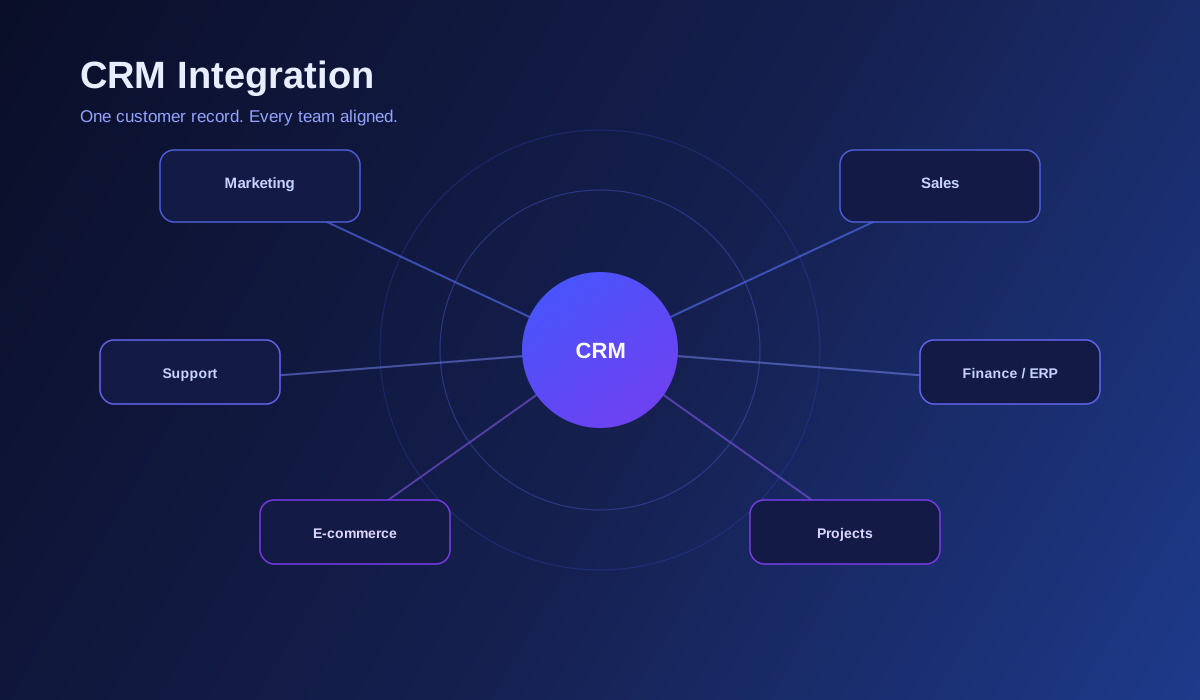
CRM integration is the practice of connecting your Customer Relationship Management system to other applications—ERP, marketing automation, helpdesk, e-commerce, project tools, LMS, and custom internal software—so data moves automatically and stays consistent. The goal is simple: one coherent customer story, available wherever work happens.
An integrated CRM is not a nicer dashboard. It is infrastructure. When integrations are done well, fewer people spend time retyping data, fewer mistakes slip through handoffs, and leadership sees pipeline, revenue, and service health from systems that actually talk to each other.
Industry research consistently shows that companies investing in CRM and related integration see stronger sales productivity and clearer attribution. Whether you run a growing business in Jaipur or a distributed product team, the underlying problem is the same: disconnected tools create invisible tax on revenue and trust.
So what does CRM integration mean in day-to-day terms? It means a closed deal can trigger invoicing rules in your finance system. It means a support ticket shows up on the account record before your account manager calls for renewal. It means marketing segments reflect real purchase behavior, not last month’s spreadsheet export.
There are several common integration patterns, and most mature stacks use more than one. Marketing automation integration syncs leads, campaign engagement, and scores into the CRM so sales follows up with full context. ERP integration aligns orders, inventory, and billing with opportunities and accounts so the front office and back office agree on numbers.
Helpdesk integration attaches tickets, SLAs, and satisfaction signals to the customer profile—critical for spotting churn risk early. E-commerce and payment integrations bring cart history, lifetime value, and repeat purchase signals into the CRM for smarter upsell and retention plays.
Learning management system (LMS) integrations matter when onboarding and certifications drive adoption; customer success and sales can see training progress without chasing spreadsheets. Project management integrations link won deals to delivery: a signed contract can spin up a project template with the right stakeholders and timeline.
The benefits stack across teams. Sales spends less time on admin and more on conversations that close. Marketing gets closed-loop reporting from lead to revenue. Support resolves issues faster when history is unified. Finance reconciles faster when orders and invoices originate from the same customer record.
Operationally, you reduce duplicate records, stale contact data, and “which system is true?” debates. Strategically, you get faster cycle times: routing, approvals, and notifications can be automated from CRM events instead of waiting on manual pings.
Integrated CRM setups also support better compliance posture when designed carefully: fewer shadow copies of personal data, clearer audit trails, and role-based access across connected systems. That matters as privacy expectations and regional regulations tighten.
Modern CRM platforms expose APIs, webhooks, and marketplace connectors—but “plug and play” rarely covers every edge case. Custom fields, legacy systems, and multi-step workflows usually need thoughtful mapping, error handling, and monitoring so integrations stay reliable after go-live.
Best practice starts with discovery: inventory every system that touches the customer lifecycle, who owns it, and which direction data should flow (one-way sync, bi-directional, or event-driven). Draw simple diagrams before writing code; ambiguity here becomes production bugs later.
Prioritize a phased roadmap. Ship one high-value flow first—often lead capture into CRM plus sales notification—prove stability, then expand to billing, support, or delivery. Trying to wire everything at once increases risk without proportional reward.
Security and data quality deserve explicit design. Use least-privilege API keys, encrypt data in transit, log sync failures, and define how conflicts resolve when two systems disagree (for example, which source wins for email or company name). Plan for API version changes and vendor downtime.
When choosing tools or partners, look for experience with your CRM (Salesforce, HubSpot, Zoho, Dynamics, and others each have different patterns), evidence of similar integrations, and a support model for after launch. Integration is ongoing maintenance, not a one-time checkbox.
At NexivoTechnology, we treat CRM integration as part of a connected product and operations story—whether you are tightening a website-to-CRM funnel, linking a mobile app to customer records, or unifying reporting for leadership. The right architecture scales with headcount and transaction volume without constant rework.
If you are early in the journey, start by naming the top three breaks in your customer data today. Those pain points usually point to the integrations that will pay back fastest. If you are further along, audit what is brittle, undocumented, or only known by one engineer—those are the integrations to harden next.
In short: CRM integration turns your CRM from an isolated database into the hub of how you acquire, serve, and retain customers. Done with discipline, it is one of the highest-leverage moves a growing business can make—and the companies that move early tend to outrun competitors who are still reconciling exports every Monday morning.